
Drawing software has transformed the art world. These tools offer endless creative possibilities.
Artists can now create stunning digital art with ease. Whether you’re a beginner or a professional, drawing software can enhance your skills. With so many options available, choosing the right one can be overwhelming. Each software comes with unique features and capabilities.
Some are perfect for sketching, while others excel at detailed illustrations. Understanding what each offers helps you pick the best fit for your needs. In this blog post, we’ll explore the world of drawing software. You’ll learn about different tools and their uses, making your choice simpler and more informed. So, let’s dive into the exciting world of digital art creation!
Introduction To Drawing Software
Drawing software has revolutionized the way artists create and share their work. Digital tools offer endless possibilities and enhance the creative process. In this post, we explore the basics of drawing software and its significance in the art world.
What Is Drawing Software?
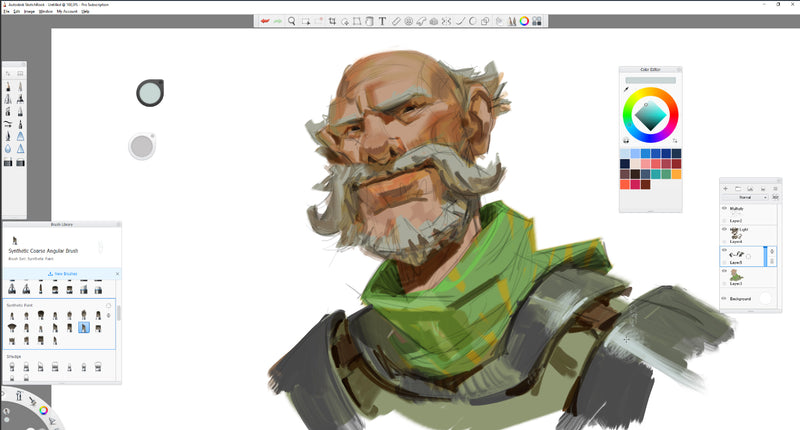
Drawing software refers to computer programs designed for creating digital illustrations. These programs provide a range of tools and features to help artists bring their ideas to life. Examples of popular drawing software include Adobe Photoshop, CorelDRAW, and Procreate.
Key features often found in drawing software:
- Brushes: Various types and styles of brushes for different effects.
- Layers: Allows artists to separate and edit different elements of their artwork.
- Color Palettes: Wide range of colors and shades to choose from.
- Vector Tools: Useful for creating scalable and precise designs.
- Export Options: Multiple formats for saving and sharing artwork.
Importance In Creative Work
Drawing software plays a crucial role in the creative industry. It allows for precise and flexible creation, making it easier to experiment and refine designs. Artists can quickly undo mistakes, explore different styles, and work with a variety of textures and effects.
Benefits of using drawing software in creative work:
- Efficiency: Speeds up the creation process with digital tools.
- Versatility: Offers a wide range of features for diverse artistic needs.
- Accessibility: Makes art creation accessible to more people.
- Collaboration: Facilitates sharing and teamwork on projects.
- Cost-Effective: Reduces the need for physical art supplies.
In summary, drawing software has become an essential tool for modern artists. It enhances creativity and opens new possibilities for artistic expression.
Credit: www.parblo.com
Top Drawing Software Options
When it comes to digital art, having the right drawing software is crucial. The right tools can make a significant difference in your creative process. Whether you are a beginner or a professional, choosing the right software can elevate your work. Here are some top drawing software options that artists love.
Adobe Illustrator
Adobe Illustrator is a vector graphics editor. It is widely used by designers and artists. Its user-friendly interface makes it easy to create detailed illustrations. With a range of powerful tools, Illustrator helps you bring your ideas to life. It supports various file formats, ensuring compatibility with other software. Adobe offers regular updates, enhancing the software’s capabilities.
Coreldraw
CorelDRAW is another popular choice for graphic designers. Known for its versatility, it offers a suite of tools for vector illustration. CorelDRAW is perfect for logo creation, web graphics, and more. The software provides a customizable interface, allowing users to tailor their workspace. It also includes advanced features like bitmap-to-vector tracing. This helps in converting images into editable vector graphics.
Clip Studio Paint
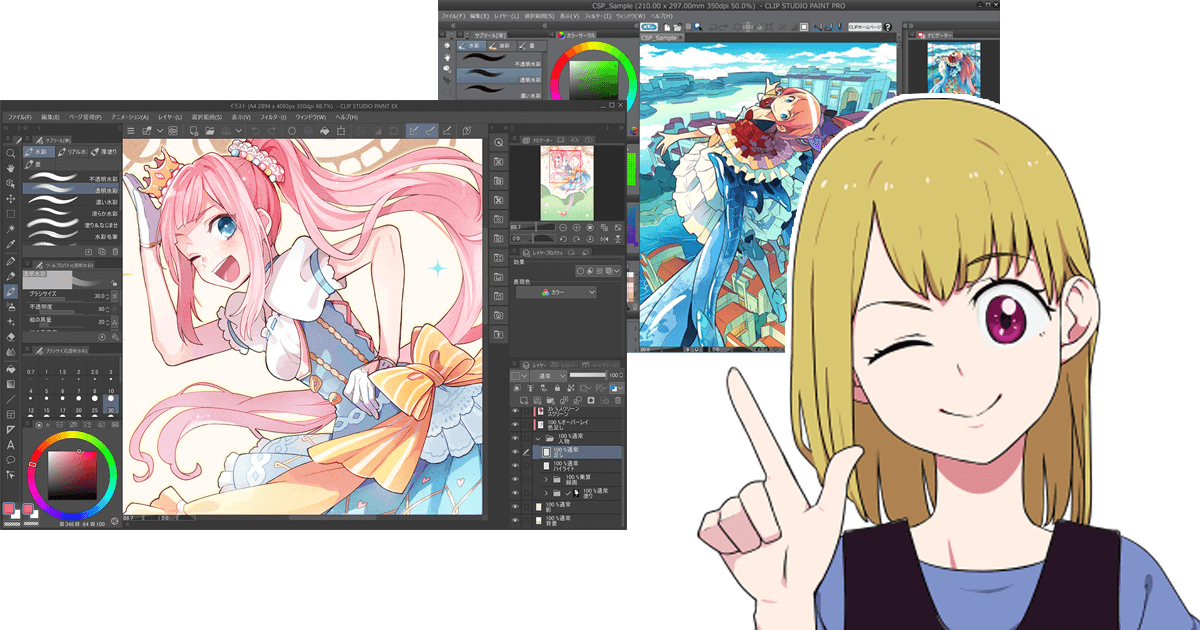
Clip Studio Paint is ideal for comic and manga artists. It offers specialized tools that make drawing comics easier. The software supports both raster and vector layers. This flexibility is crucial for creating detailed artwork. Clip Studio Paint also features a vast library of brushes. This allows artists to experiment with different styles. The software’s animation tools are a bonus for creating animated sequences.
Features To Look For
When selecting drawing software, it’s crucial to consider key features. These features can significantly affect your drawing experience. They make a difference in productivity and creativity. Below are some essential features to look for.
User Interface
An intuitive user interface makes drawing easier. Look for a clean layout. Avoid cluttered menus and confusing icons. A good interface should be easy to navigate. It allows you to focus on your art. Customizable toolbars are a plus. They let you arrange tools as you prefer. This can save time and enhance efficiency.
Tool Variety
A wide range of tools is vital. Basic tools like brushes and pencils are essential. Advanced tools can provide more creative freedom. Look for features like layers and blending modes. These tools add depth to your drawings. Vector tools are also helpful. They allow for precise and scalable designs. More tools mean more possibilities.
Compatibility
Compatibility with different devices is important. The software should work on various operating systems. Ensure it supports both Windows and Mac. Compatibility with drawing tablets is crucial. It should also handle different file formats. This makes sharing and exporting your work easier. Good compatibility ensures a smooth workflow.
Free Vs Paid Software
Choosing between free and paid drawing software can be challenging. Both options offer unique benefits. Understanding these can help you make an informed decision.
Benefits Of Free Tools
Many free drawing tools are available online. They offer great features for beginners.
- Cost-effective: Free tools save you money. Ideal for those on a budget.
- Accessible: Easy to download and use. Perfect for quick projects.
- Community support: Large user bases. Many forums and tutorials to help you.
Free tools often include basic features. These are enough for simple drawings. They help beginners learn without spending money.
Advantages Of Paid Software
Paid drawing software offers advanced features. These are useful for professionals and serious hobbyists.
- Advanced tools: More options for brushes, layers, and effects.
- Regular updates: Developers frequently update paid tools. This ensures you get new features and improvements.
- Customer support: Access to dedicated support teams. They help resolve issues quickly.
Paid tools often come with a one-time fee or subscription. They provide a more comprehensive experience. This is beneficial for those wanting to enhance their skills.
| Feature | Free Software | Paid Software |
|---|---|---|
| Cost | Free | One-time or Subscription |
| Tool Variety | Basic | Advanced |
| Updates | Occasional | Regular |
| Support | Community | Professional |
Best Software For Beginners
Starting to draw digitally can be exciting but also confusing. Beginners need software that is easy to use and affordable. Here are some top choices for drawing software that are perfect for beginners.
User-friendly Options
Finding a drawing software that is user-friendly is crucial for beginners. Here are some great options:
- Krita: Krita has a simple interface. It offers many tools for beginners.
- SketchBook: SketchBook is easy to use. It has a clean design and useful features.
- Paint Tool SAI: Paint Tool SAI is lightweight. It is perfect for basic drawing and painting.
Affordable Choices
Affordable drawing software allows beginners to start creating without a big investment. Here are some cost-effective options:
| Software | Price |
|---|---|
| GIMP | Free |
| FireAlpaca | Free |
| Clip Studio Paint | One-time fee of $49.99 |
These affordable options ensure you can start drawing without worrying about high costs.

Credit: www.youtube.com
Advanced Tools For Professionals
Professional artists need advanced drawing tools. These tools help create complex designs. They offer precision, flexibility, and control. Advanced drawing software includes many high-end features. It meets industry standards. It’s perfect for professional projects.
High-end Features
Advanced drawing software offers layers. Layers allow artists to separate elements. They can edit without affecting the whole image. Brush customization is another key feature. Artists can create unique brushes. They can adjust size, shape, and texture.
Vector tools are also essential. They provide scalability without loss of quality. This is crucial for logos and large prints. Many programs offer 3D tools. These tools add depth and realism. They are useful for character design and architecture.
Industry Standards
Professional drawing software meets industry standards. It supports various file formats. This ensures compatibility with other programs. It also integrates with hardware like drawing tablets. This enhances the drawing experience.
Color management is another standard feature. It ensures color accuracy in print and digital media. Many programs support plugins. Plugins extend functionality. They add new tools and features.
These advanced tools and standards make professional drawing software powerful. They help artists create stunning artwork. They ensure quality and consistency in every project.
Tips For Choosing The Right Software
Choosing the right drawing software can be overwhelming. With many options available, it’s essential to pick one that suits your needs. Below are some tips to help you make an informed decision.
Assessing Your Needs
First, identify what you need from the software. Are you a beginner or a professional? Do you need basic sketching tools or advanced features? Knowing your requirements will help narrow down your choices.
Consider the type of art you create. Some software is better for digital painting, while others excel at vector graphics. Make sure the software you choose aligns with your artistic goals.
Trial Periods And Demos
Many drawing software options offer trial periods or demos. Take advantage of these. Testing the software allows you to see if it fits your workflow. It also helps you understand the interface and tools.
During the trial, pay attention to how intuitive the software is. A user-friendly interface can save you time and frustration. Also, check if the software supports your device and operating system.
Enhancing Creativity With Software
Drawing software offers endless possibilities for artists. It provides a digital canvas where creativity can flourish. With the right tools, artists can experiment and combine different techniques. This opens up new avenues for artistic expression. Let’s explore how drawing software can enhance creativity.
Experimenting With Tools
Drawing software comes with a variety of tools. These tools can mimic traditional art supplies. Brushes, pencils, and erasers are just a few examples. Artists can also use digital tools like layers and filters. This allows for more flexibility in their work.
Experimenting with these tools can lead to unique results. For example, an artist can combine a watercolor brush with a digital filter. This creates a new texture that is hard to achieve with traditional media. Another tool is the symmetry brush, which creates mirrored images effortlessly.
Here is a table of common drawing tools and their digital equivalents:
| Traditional Tool | Digital Equivalent |
|---|---|
| Pencil | Digital Pencil Brush |
| Watercolor | Watercolor Brush |
| Eraser | Digital Eraser |
| Canvas | Digital Canvas |
Combining Software For Better Results
Artists can also combine different software to enhance their work. For example, an artist might start a sketch in one program. Then, they can add color and texture in another. This allows for a more polished final product.
Using multiple programs can also help with specific tasks. Some software offers better vector tools, while others excel in raster graphics. By combining these, artists can achieve more precise and detailed work.
Here is an ordered list of steps to combine software effectively:
- Start with a sketch in a vector program.
- Export the sketch to a raster program.
- Add color and texture.
- Use filters and effects for finishing touches.
By experimenting with tools and combining software, artists can push their creative boundaries. Drawing software opens up a world of possibilities. It allows artists to create unique and compelling works of art.
Credit: animeartmagazine.com
Frequently Asked Questions
What Is The Best Free Drawing Software?
There are several great free drawing software options. Popular choices include Krita, GIMP, and Inkscape. These programs offer powerful tools for digital artists.
Can I Use Drawing Software On A Tablet?
Yes, many drawing software programs are compatible with tablets. Popular options like Procreate and Adobe Fresco are designed for tablet use.
Is Drawing Software Good For Beginners?
Yes, many drawing software programs are beginner-friendly. Options like SketchBook and ArtRage offer intuitive interfaces and tutorials for new users.
What Features Should I Look For In Drawing Software?
Look for features like layer support, brush customization, and pressure sensitivity. These tools enhance your drawing experience.
Conclusion
Choosing the right drawing software can enhance your creativity. Each program offers unique features. Always consider your needs and skill level. Experiment with free trials to find the best fit. Many options cater to both beginners and professionals. Great tools can make drawing more enjoyable and efficient.
Start exploring today and elevate your digital art skills. Happy drawing!