
Coding software is essential for developers. It helps in writing, testing, and debugging code.
Whether you’re a beginner or an expert, finding the right tools can boost productivity and efficiency. In today’s digital age, coding software has become a crucial part of the development process. These tools provide a platform where developers can write code, test it, and fix errors with ease.
With numerous options available, selecting the best coding software can be daunting. The right choice can significantly impact your workflow and the quality of your projects. In this blog post, we will explore various coding software options, highlighting their features and benefits. This guide aims to help you make an informed decision, ensuring your coding experience is smooth and productive.
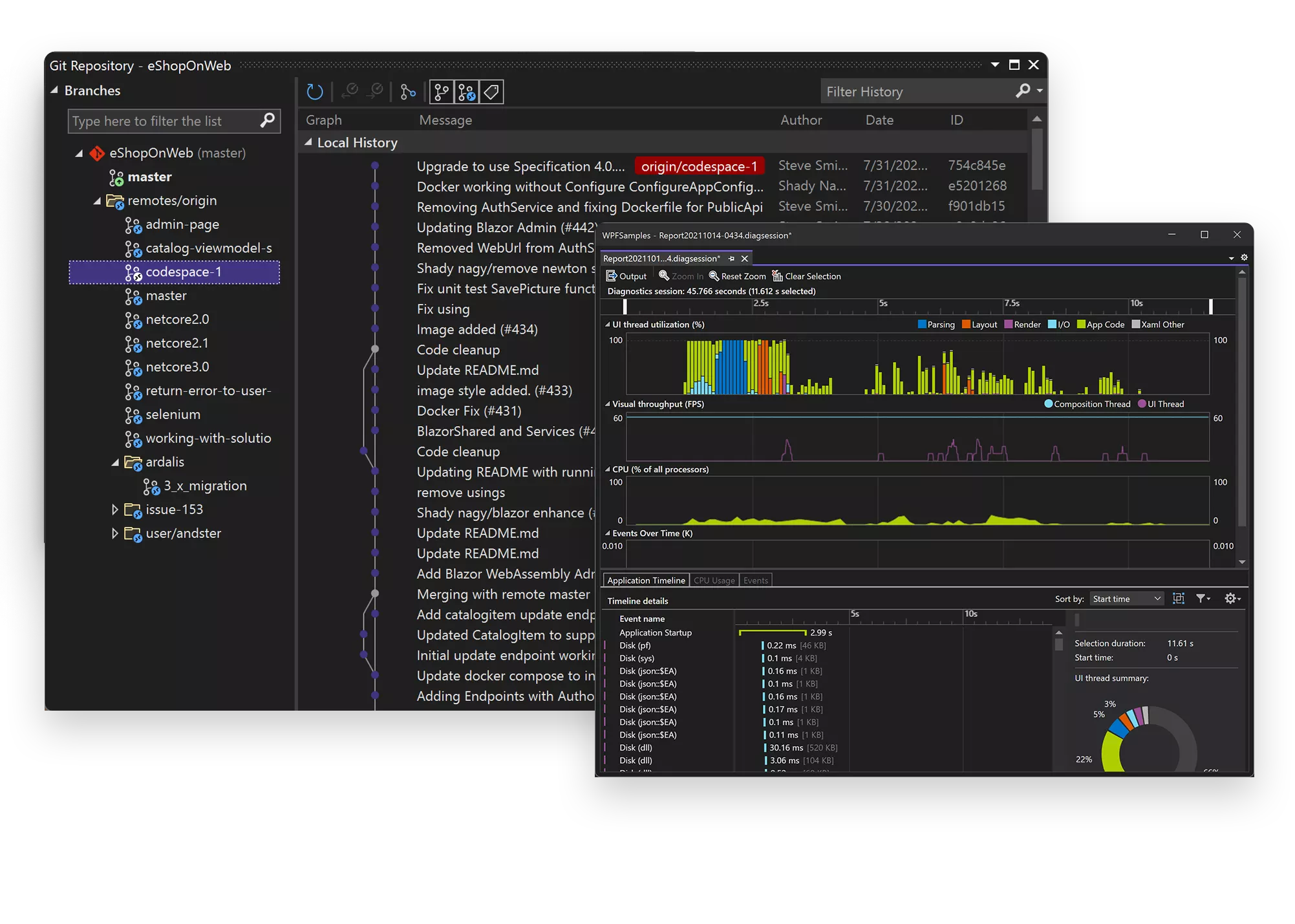
Credit: visualstudio.microsoft.com
Introduction To Coding Software
Coding software plays a vital role in creating applications and websites. It helps developers write, test, and debug code efficiently. Understanding coding software is crucial for anyone in the tech industry.
Importance In Modern Development
Modern development relies heavily on coding software. It enhances productivity and ensures code quality. With the right tools, developers can build robust applications. Coding software provides features that streamline the development process.
Key Features To Look For
Look for user-friendly interfaces. This reduces the learning curve for new users. Code auto-completion is another key feature. It speeds up coding and reduces errors. Debugging tools are essential as well. They help identify and fix issues quickly.
Integration with version control systems is crucial too. It allows tracking changes and collaborating with others. Support for multiple programming languages is important. It ensures flexibility in development projects.
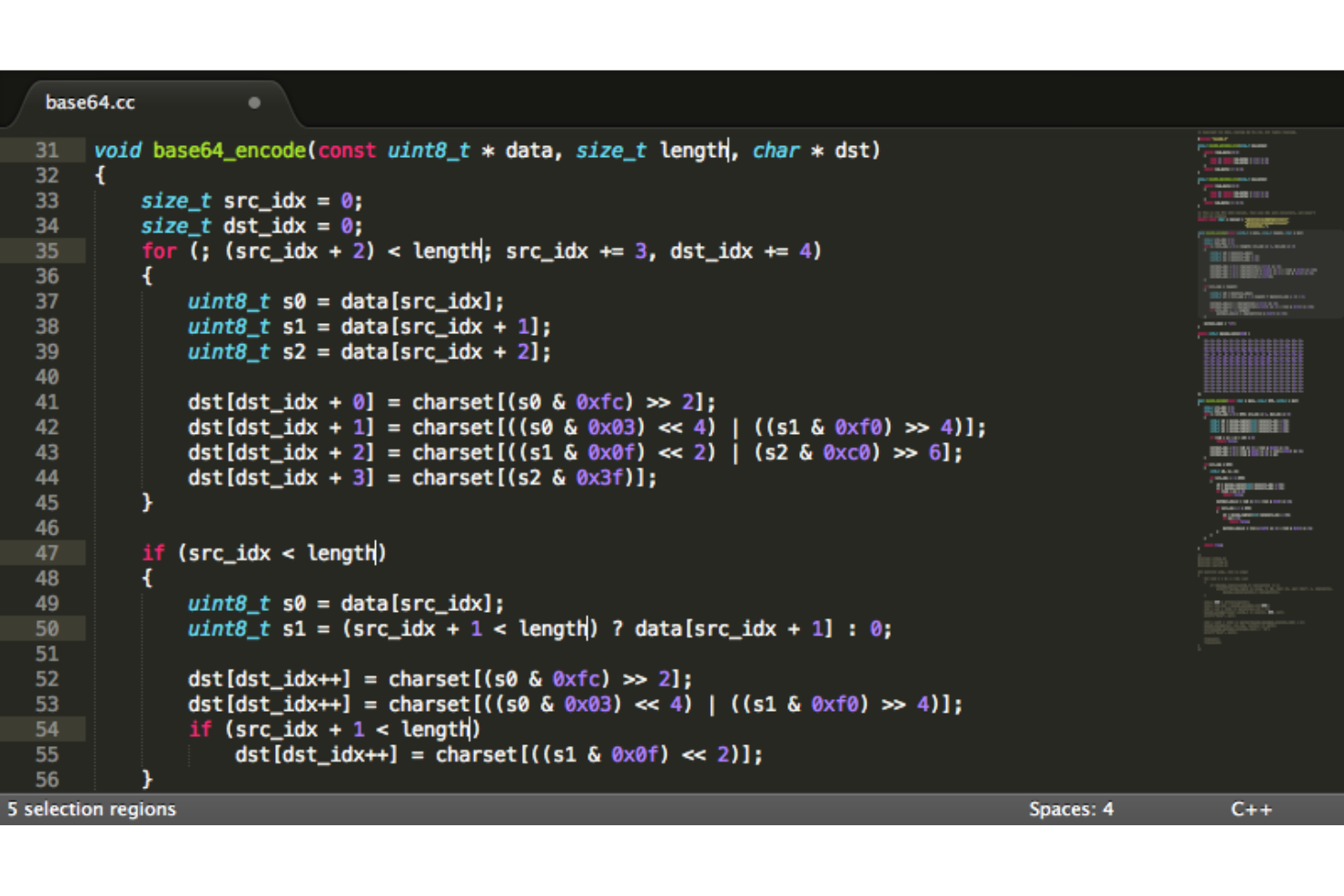
Credit: thectoclub.com
Popular Coding Software Options
Choosing the right coding software can improve your productivity. There are many coding software options available. Each has unique features and benefits. Here are some popular choices for developers:
Visual Studio Code
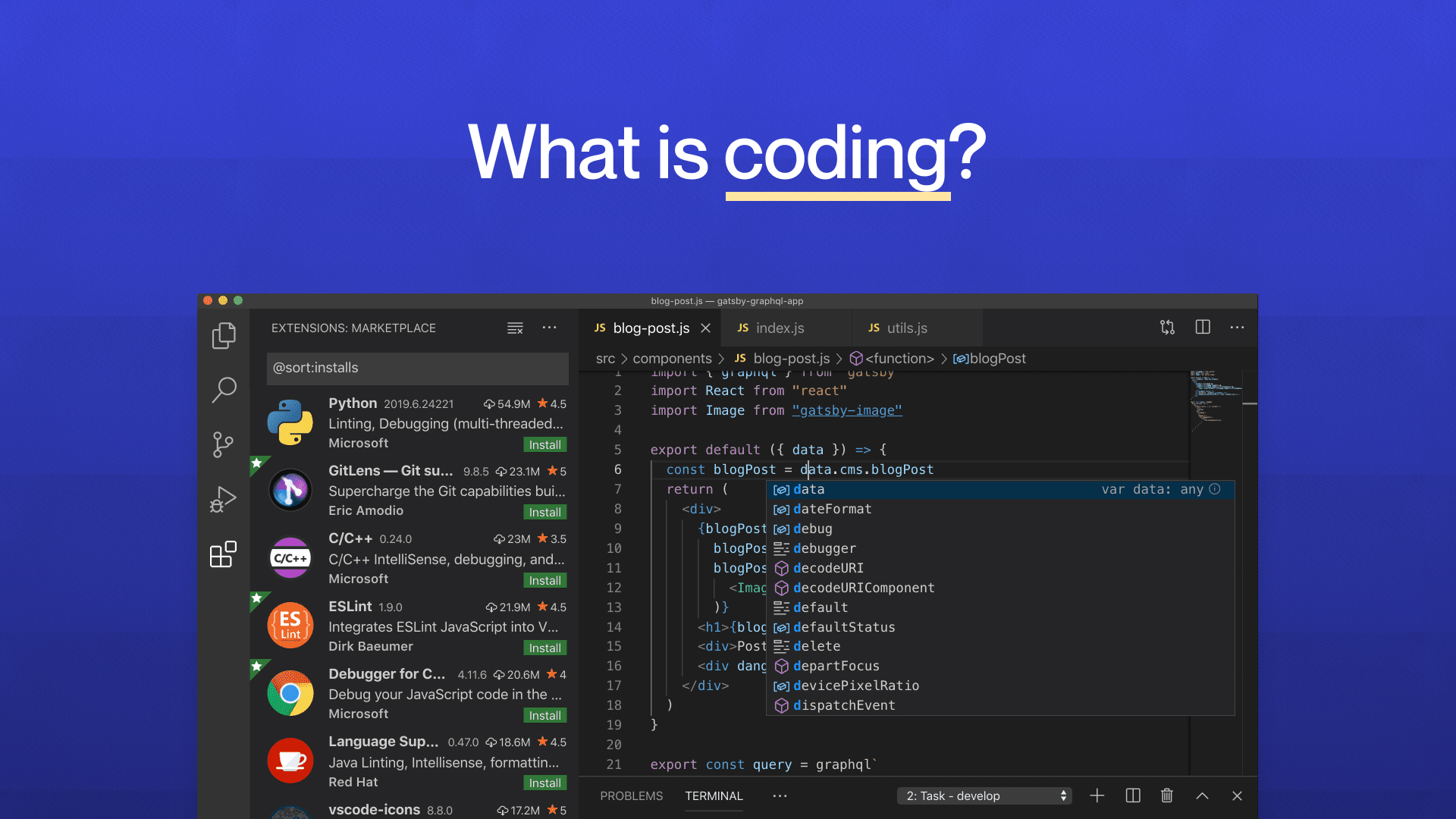
Visual Studio Code is a free coding software from Microsoft. It is popular among developers for its versatility. It supports many programming languages like Python, JavaScript, and C++.
Some key features include:
- Integrated terminal
- Syntax highlighting
- Extensions marketplace
It also has a built-in Git control. This makes version control easier. The software runs on Windows, macOS, and Linux.
Sublime Text
Sublime Text is known for its speed and simplicity. It is a lightweight text editor. It supports many languages through plugins. Developers appreciate its clean interface and fast performance.
Key features include:
- Split editing
- Customizable key bindings
- Command palette
Sublime Text is available for Windows, macOS, and Linux. It has a free trial version. A paid license is required for continued use.
Intellij Idea
IntelliJ IDEA is a coding software from JetBrains. It is designed for Java development. But it also supports other languages like Kotlin, Groovy, and Scala.
Key features include:
- Smart code completion
- Built-in tools and frameworks
- Version control integration
IntelliJ IDEA has two versions: Community and Ultimate. The Community version is free. The Ultimate version requires a paid license. It runs on Windows, macOS, and Linux.
Enhancing Productivity With Coding Tools
In today’s fast-paced coding world, using the right tools can make a huge difference. Enhancing productivity with coding tools is essential for developers. These tools help write, test, and debug code more efficiently. Let’s explore how Integrated Development Environments (IDEs) and Code Editors can boost productivity.
Integrated Development Environments (ides)
Integrated Development Environments (IDEs) are powerful tools. They offer a complete workspace for developers. IDEs include features like code completion, debugging, and built-in compilers. These features save time and reduce errors.
Popular IDEs include:
- Visual Studio Code: It supports many languages and has a large extension library.
- PyCharm: Ideal for Python development with smart code completion.
- IntelliJ IDEA: Great for Java development with advanced refactoring tools.
Using an IDE can streamline your workflow. This allows you to focus on solving problems rather than managing tools.
Code Editors
Code Editors are simpler than IDEs. They are lightweight and fast. Code editors are perfect for quick edits and scripting. While they lack some features of IDEs, they make up for it with speed and simplicity.
Top code editors include:
- Sublime Text: Known for its speed and user-friendly interface.
- Atom: Open-source and highly customizable.
- Notepad++: Lightweight and supports many programming languages.
Code editors are great for developers who need a quick and efficient tool. They help in making fast changes without the overhead of a full IDE.
In summary, both IDEs and code editors are valuable tools. Choosing the right one depends on your needs and preferences. Both can significantly enhance your productivity.
Credit: codeop.tech
Essential Plugins And Extensions
Choosing the right coding software can enhance your productivity. But what really makes a difference are the essential plugins and extensions. These tools can streamline your workflow. They help you write better code, debug efficiently, and maintain a consistent style. Let’s explore some of the must-have plugins and extensions.
Code Formatting Tools
Formatting your code is crucial. It makes your code readable and consistent. Here are some popular code formatting tools:
- Prettier: Automatically formats your code. Supports many languages. Easy to integrate with most editors.
- ESLint: Enforces coding standards. Finds and fixes problems in your JavaScript code. Configurable and highly customizable.
- Black: Aims for code uniformity. It formats Python code. Makes code review faster by producing the same code style.
Debugging Extensions
Debugging can be a challenging task. The right tools can make it easier. Here are some of the best debugging extensions:
- Debugger for Chrome: Integrates with Visual Studio Code. Allows you to debug JavaScript code in Google Chrome. Provides a seamless debugging experience.
- Python Extension for Visual Studio Code: Adds debugging support for Python. Offers code linting and IntelliSense. Simplifies the development process.
- PHP Debug: Helps you debug PHP code. Works with Xdebug to provide a powerful debugging environment. Makes finding and fixing errors easier.
Version Control Integration
Version control integration is crucial for coding software. It allows developers to track changes, collaborate, and manage their code efficiently. This helps in maintaining the integrity of the codebase. Let’s explore two key aspects of version control integration.
Git And Github
Git is a popular version control system. It helps track changes in the code. Developers can revert to previous versions if needed. GitHub is a platform that hosts Git repositories. It provides a web-based interface to manage and collaborate on projects. Both Git and GitHub are essential for modern software development. They offer tools for issue tracking, code review, and project management.
Collaborative Coding
Collaborative coding is another benefit of version control integration. Teams can work on the same project simultaneously. Changes can be merged without conflicts. This ensures smooth collaboration and boosts productivity. Developers can also review each other’s code. This leads to better code quality and fewer bugs. Version control systems like Git support branching. This allows developers to work on new features without affecting the main codebase.
Automating Repetitive Tasks
In the world of coding, repetitive tasks can slow down productivity. Automating these tasks can save time and reduce errors. By using coding software, developers can automate many repetitive tasks, enhancing efficiency and focus on more complex problems.
Code Snippets
Code snippets are reusable pieces of code. They help automate repetitive coding tasks. Think of them as templates. These templates can be used in different projects to save time.
For example, a common task like creating a function can be automated with a code snippet. Here is a simple code snippet:
function exampleFunction() {
    // Your code here
}
This snippet can be inserted quickly. It reduces the need to type the same code repeatedly. Many coding software tools offer libraries of snippets. Developers can also create and store their own snippets.
Task Runners
Task runners are tools that automate common development tasks. They can compile code, run tests, and deploy applications. These tools help streamline the workflow.
A popular task runner is Gulp. It uses code to define tasks. Here is an example of a Gulp task:
const gulp = require('gulp');

gulp.task('default', function() {
    // Task code here
});
This task can run with a simple command. It makes it easier to automate complex workflows. Task runners can handle multiple tasks at once, improving efficiency.
| Task Runner | Primary Use |
|---|---|
| Gulp | Automating development tasks |
| Grunt | Task automation |
| Webpack | Module bundling |
Using these tools can greatly increase productivity. They help in managing and automating repetitive tasks. This allows developers to focus on more important aspects of their projects.
Learning Resources For Developers
In the ever-evolving world of coding, staying updated is crucial. Developers need access to varied learning resources. These resources help them stay ahead of the curve. Let’s explore some top-notch learning resources for developers.
Online Tutorials
Online tutorials are a great way to learn coding. They provide step-by-step instructions. Many platforms offer free and paid tutorials.
- Udemy: A wide range of courses for all skill levels.
- Codecademy: Interactive lessons for beginners and advanced users.
- Coursera: Courses from top universities and institutions.
These platforms offer flexibility. You can learn at your own pace. Additionally, they provide practical exercises. This helps in retaining knowledge.
Coding Bootcamps
Coding bootcamps are intensive training programs. They are designed to teach coding in a short period. Bootcamps focus on practical skills.
| Bootcamp Name | Duration | Specialty |
|---|---|---|
| Le Wagon | 9 weeks | Full-stack development |
| Flatiron School | 15 weeks | Software engineering |
| General Assembly | 12 weeks | Web development |
Bootcamps often have a high success rate. Many graduates land jobs quickly. They offer career support services. This includes resume reviews and interview prep.
Both online tutorials and coding bootcamps provide valuable learning experiences. They cater to different learning styles and needs. Choose the one that fits your goals and schedule.
Best Practices For Using Coding Software
Coding software is essential for developers. Proper use ensures efficiency and productivity. Following best practices can make a significant difference. Let’s explore some key practices for using coding software effectively.
Regular Updates
Keep your coding software up to date. Updates often include new features and bug fixes. They enhance security and stability. Check for updates regularly. This ensures you have the latest tools and improvements. Set reminders if needed. Many software programs allow automatic updates. Enable this feature if available.
Customizing Your Workspace
Personalize your coding environment. Customize the layout to suit your workflow. Adjust font size for readability. Choose a color scheme that reduces eye strain. Organize your tools and shortcuts. This saves time and increases efficiency. Use plugins or extensions to add functionality. Tailor your workspace to your needs. A well-organized environment boosts productivity.
Future Trends In Coding Software
The world of coding software is evolving rapidly. Developers are always looking for ways to improve efficiency and productivity. Two key trends are making a significant impact. These are AI-powered code assistants and cloud-based development. Let’s dive deeper into these trends.
Ai-powered Code Assistants
AI-powered code assistants are transforming the way developers write code. These tools use machine learning to understand coding patterns. They offer suggestions and auto-complete code snippets. This saves time and reduces errors. AI assistants can also help debug code. They analyze the code and suggest fixes. This makes coding faster and more efficient.
Cloud-based Development
Cloud-based development is another trend gaining traction. Developers can write, test, and deploy code from anywhere. All they need is an internet connection. This makes collaboration easier. Teams can work together in real-time. Cloud-based tools also offer scalability. Developers can scale resources up or down as needed. This flexibility is a game-changer for many projects.
Frequently Asked Questions
What Is Coding Software?
Coding software is a tool used by developers to write, test, and debug code. It helps streamline the coding process and improve productivity.
Which Coding Software Is Best For Beginners?
For beginners, Visual Studio Code and Sublime Text are excellent choices. They are user-friendly, feature-rich, and widely supported by the developer community.
How Do I Choose Coding Software?
Choose coding software based on your project needs, language support, and personal preference. Consider factors like ease of use, features, and community support.
Can Coding Software Be Used Offline?
Yes, most coding software can be used offline. Download and install the software on your computer to use it without an internet connection.
Conclusion
Coding software is essential for both beginners and experts. It simplifies complex tasks. With the right tools, coding becomes enjoyable and efficient. Explore various software options. Choose what best suits your needs. Practice regularly to improve your skills. Stay updated with new features and trends.
Coding is a journey, not a destination. Keep learning and growing. Your coding adventure starts now. Happy coding!