
Shopify-type websites offer user-friendly platforms for creating and managing online stores. They provide customizable templates and integrated payment options.
Shopify-type websites empower small businesses to establish an online presence with ease. These platforms are designed for simplicity, enabling users to create attractive and functional e-commerce sites without extensive technical knowledge. With a range of customizable templates, businesses can tailor their sites to reflect their brand identity.
Integrated payment gateways simplify transactions, enhancing customer experience. Additionally, these websites often include features like inventory management, order tracking, and analytics, aiding in efficient business operations. The scalable nature of Shopify-type platforms makes them suitable for both startups and growing enterprises, ensuring seamless growth and adaptability.

Credit: www.shopify.com
Introduction To Shopify
Shopify is a popular e-commerce platform. It helps people create online stores easily. With Shopify, you can sell products online without knowing how to code.
Many businesses use Shopify to build their online presence. It provides tools and features that make selling online simple and efficient.
What Is Shopify?
Shopify is a software service that lets you create a website. It also lets you use their shopping cart solution to sell, ship, and manage your products.
Shopify offers a range of customizable templates. These templates help you design your store to match your brand.
With Shopify, you get access to a powerful backend system. This system helps you manage inventory, track orders, and handle payments.
Benefits Of Using Shopify
- Ease of Use: Shopify is user-friendly. You don’t need technical skills to set up your store.
- Customizable Templates: Choose from many templates. Customize them to fit your brand’s look and feel.
- Secure and Reliable: Shopify provides secure payment gateways. Your customers’ data is protected.
- 24/7 Support: Get help anytime with Shopify’s customer support. They are always ready to assist you.
- Mobile-Friendly: All Shopify stores are optimized for mobile devices. This ensures a great shopping experience for your customers.
- SEO Tools: Shopify offers built-in SEO features. These help your store rank higher in search engines.
| Feature | Description |
|---|---|
| Ease of Use | Simple setup without coding skills. |
| Customizable Templates | Many templates to match your brand. |
| Secure Payments | Protects customer data with secure payment gateways. |
| 24/7 Support | Get help whenever you need it. |
| Mobile Optimization | Ensures a smooth mobile shopping experience. |
| SEO Tools | Helps your store rank better in search results. |

Credit: kinsta.com
Setting Up Your Store
Setting up your Shopify store is exciting. This guide will help you launch your online business. Follow these steps to create a successful store.
Choosing A Domain
Your domain name is vital. It’s your store’s online address. Choose a name that’s easy to remember. It should reflect your brand. A great domain can attract more visitors.
Consider these tips:
- Keep it short and simple.
- Use keywords related to your business.
- Avoid numbers and hyphens.
- Check availability with domain registrars.
Popular domain registrars include:
| Registrar | Features |
|---|---|
| GoDaddy | Easy setup, 24/7 support |
| Namecheap | Affordable, free privacy protection |
| Bluehost | Free domain with hosting plans |
Selecting A Theme
Your theme determines your store’s look. Shopify offers many themes. Choose one that fits your brand.
Here are steps to select a theme:
- Go to Shopify Theme Store.
- Browse categories and features.
- Preview themes before buying.
- Choose a responsive design.
- Consider customization options.
Popular free themes include:
- Debut: Clean and versatile.
- Brooklyn: Perfect for modern stores.
- Minimal: Simple and elegant.
Premium themes offer advanced features:
- More customization options.
- Better support and updates.
- Unique designs.
Selecting the right theme sets your store apart. It creates a unique shopping experience.
Adding Products
When adding products to your Shopify type website, it’s essential to focus on creating compelling product descriptions and high-quality images to attract customers.
Product Descriptions
Create engaging and clear descriptions.
Use bullet points to highlight key features.
Ensure keywords are included for SEO.
Product Images
Upload high-resolution images for better clarity.
Include multiple angles to showcase the product.
Optimize images for faster loading speed.
Optimizing For Seo
Optimizing your Shopify type website for SEO is essential. It helps your store rank higher on search engines. This increases traffic and sales. Here’s a guide to get you started.
Keyword Research
Effective keyword research is the cornerstone of SEO. Use tools like Google Keyword Planner. Identify keywords relevant to your products. Focus on both short-tail and long-tail keywords.
- Short-tail keywords: shoes, t-shirts
- Long-tail keywords: men’s running shoes, women’s graphic t-shirts
Incorporate these keywords into your content. This includes product descriptions, titles, and meta tags. Keep your keyword density natural. Overuse can lead to keyword stuffing penalties.
On-page Seo
On-Page SEO involves optimizing individual pages. This improves rankings and attracts organic traffic. Here are some key elements:
- Title Tags: Include your main keyword in the title. Keep it under 60 characters.
- Meta Descriptions: Summarize the content. Use the main keyword. Keep it under 160 characters.
- Header Tags: Use H1 for the main title. Use H2 and H3 for subheadings.
- Alt Text: Describe images with keywords. This improves image search ranking.
Content should be unique and engaging. Avoid duplicate content. Use bullet points and tables to make it scannable.
| Element | Best Practice |
|---|---|
| Title Tags | Include main keyword, under 60 characters |
| Meta Descriptions | Summarize content, use keyword, under 160 characters |
| Header Tags | Use H1 for main title, H2 and H3 for subheadings |
| Alt Text | Describe images with keywords |
Remember, SEO is an ongoing process. Regularly update your content. Track your rankings and adjust as needed. This ensures your Shopify store stays competitive and visible.
Marketing Strategies
Marketing your Shopify store effectively can drive sales and grow your business. Let’s explore some key marketing strategies that can help you reach your audience and boost your revenue.
Email Marketing
Email marketing is a powerful tool for Shopify stores. It helps you stay connected with your customers and promotes your products. Follow these tips to make the most of your email marketing:
- Build an email list of your customers and prospects.
- Create engaging and relevant email content.
- Use personalization to make your emails more appealing.
- Segment your email list to target specific audiences.
- Track your email campaign performance metrics.
Social Media Marketing
Social media marketing is essential for Shopify stores. It helps you reach a wider audience and engage with your customers. Here are some strategies to improve your social media presence:
- Create a content calendar to plan your posts.
- Share high-quality images and videos of your products.
- Engage with your audience through comments and messages.
- Use hashtags to increase your visibility.
- Run social media ads to target specific demographics.
By implementing these marketing strategies, you can enhance your Shopify store’s visibility and drive more sales.
Credit: www.cloudways.com
Managing Orders
Managing orders is crucial for any Shopify type website. It ensures customer satisfaction and smooth business operations. Proper order management can lead to repeat customers and positive reviews. This section will explore how to manage orders efficiently.
Order Fulfillment
Order fulfillment involves picking, packing, and shipping products. It starts once a customer places an order. Accurate and quick fulfillment is essential. Below is a table outlining key steps in order fulfillment:
| Step | Description |
|---|---|
| Picking | Select the correct products from inventory. |
| Packing | Secure the items in suitable packaging. |
| Shipping | Send the package to the customer. |
Automate these steps to save time and reduce errors. Use barcode scanners for accurate picking. Choose packaging materials that protect products during transit. Partner with reliable shipping carriers for timely delivery.
Handling Returns
Efficient return handling builds trust with customers. A clear and simple return policy is necessary. Ensure the policy is visible on your website. Steps to handle returns include:
- Receive the returned item.
- Inspect the product for any damage.
- Restock or dispose of the item accordingly.
- Process the refund or exchange.
Use return management software to streamline the process. Keep customers informed about the return status. Offer multiple return options like store credit or refunds. Address any issues promptly to maintain customer satisfaction.
Payment Gateways
Payment gateways are essential for Shopify type websites. They allow businesses to accept payments online. Choosing the right gateway can impact sales and customer satisfaction. This section will help you understand payment gateways better.
Choosing A Payment Gateway
Choosing a payment gateway is crucial for your online store. It affects your transaction fees, security, and customer experience. Consider the following factors:
- Transaction Fees: Look for gateways with low fees.
- Security: Ensure the gateway is PCI-DSS compliant.
- Compatibility: It should integrate seamlessly with Shopify.
- Customer Support: Choose one with 24/7 support.
Here is a table comparing popular payment gateways:
| Payment Gateway | Transaction Fees | Security | Customer Support |
|---|---|---|---|
| PayPal | 2.9% + $0.30 | PCI-DSS compliant | 24/7 Support |
| Stripe | 2.9% + $0.30 | PCI-DSS compliant | 24/7 Support |
| Square | 2.6% + $0.10 | PCI-DSS compliant | 24/7 Support |
Setting Up Payment Options
Setting up payment options is easy on Shopify. Follow these steps:
- Log in to your Shopify admin panel.
- Go to Settings > Payments.
- Choose your preferred payment gateway.
- Click Activate to set up the gateway.
- Enter the required information and save.
Ensure you test the payment gateway. Make a test transaction to verify everything works fine. This ensures your customers have a smooth checkout experience.
Customer Support
Effective customer support is crucial for any Shopify-type website. It ensures customer satisfaction and builds trust. Let’s explore two essential aspects of customer support: live chat support and automated helpdesk.
Live Chat Support
Live chat support offers immediate assistance. Customers can get help within seconds. This feature is crucial for solving urgent issues. It also helps in guiding customers through their shopping journey.
- Real-time Interaction: Customers get instant responses to their queries.
- Increased Sales: Help customers make purchase decisions.
- Personalized Service: Offer tailored support to each user.
Live chat support can reduce cart abandonment rates. It can also increase customer satisfaction. Many Shopify-type websites use live chat to boost their service quality.
Automated Helpdesk
Automated helpdesk systems can handle common queries. They use AI to provide instant solutions. This reduces the workload on human agents. It also ensures that customers get help 24/7.
| Feature | Benefit |
|---|---|
| 24/7 Availability | Customers get help anytime. |
| Cost-Effective | Reduces the need for many human agents. |
| Consistency | Provides uniform answers to common questions. |
Using an automated helpdesk can enhance efficiency. It also improves customer experience. Many Shopify-type websites benefit from this technology.
Analyzing Performance
Analyzing the performance of your Shopify website is crucial. It helps you understand what is working and what needs improvement. By diving deep into your site’s data, you can make informed decisions. This will lead to increased sales and better customer satisfaction.
Sales Analytics
Sales Analytics is where you track your revenue. You can see which products are selling well. This helps you understand trends. Use this data to stock up on popular items. You can also identify products that are not performing. Consider running promotions to boost their sales.
| Product | Sales | Revenue |
|---|---|---|
| Product A | 50 | $500 |
| Product B | 30 | $300 |
| Product C | 20 | $200 |
Regularly checking your sales reports is important. It helps you plan better marketing strategies. Aim to maximize your revenue. Use the insights to drive more sales.
Customer Insights
Customer Insights tell you more about your shoppers. You can learn their preferences. Understand what they like and dislike. This helps you tailor your offerings. Make your customers feel valued.
- Track customer behavior on your site.
- Identify your top customers.
- Understand purchase patterns.
Use this data to improve customer experiences. Send personalized emails. Offer discounts to loyal customers. Make changes based on their feedback.
Analyzing customer data can help reduce cart abandonment. It can also increase repeat purchases. Happy customers are more likely to recommend your store to others.
Scaling Your Business
As your Shopify store grows, scaling becomes essential. Expanding your business smartly can lead to higher profits and a broader customer base. This section will explore key strategies to help you scale your Shopify store effectively.
Expanding Product Lines
Adding new products can attract more customers. Consider these steps:
- Market Research: Understand customer needs and preferences.
- Quality Control: Ensure new products meet quality standards.
- Supplier Relationships: Build strong connections with reliable suppliers.
Keep your inventory balanced. Avoid overstocking or understocking items.
International Shipping
Offering international shipping can open new markets. Follow these guidelines:
- Shipping Partners: Choose reliable shipping partners.
- Customs Compliance: Understand and comply with international regulations.
- Shipping Costs: Clearly communicate shipping costs to customers.
Consider using a table to display shipping rates:
| Region | Shipping Cost | Delivery Time |
|---|---|---|
| North America | $10 | 5-7 days |
| Europe | $15 | 7-10 days |
| Asia | $20 | 10-15 days |
Offer free shipping for orders above a certain amount. This can encourage larger purchases.
Frequently Asked Questions
Is There Any Website Like Shopify?
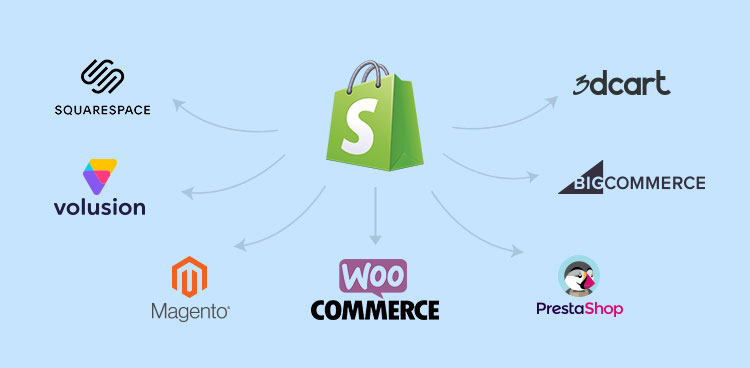
Yes, several websites like Shopify exist. Alternatives include WooCommerce, BigCommerce, Wix eCommerce, Squarespace, and Magento. Each offers unique features for online stores.
Who Is Shopify’s Biggest Competitor?
Shopify’s biggest competitor is WooCommerce.
What Is Better Than Shopify?
Wix and BigCommerce are often considered better than Shopify for their flexibility and built-in features. WooCommerce is another great alternative due to its extensive customization options.
What Type Of Website Is Shopify?
Shopify is an e-commerce platform. It allows businesses to create online stores and sell products. Ideal for small to large businesses.
What Makes Shopify Websites Popular?
Shopify’s user-friendly interface, customizable themes, and secure payment options drive its popularity.
How Easy Is It To Set Up A Shopify Store?
Setting up a Shopify store is simple with its intuitive design, step-by-step guidance, and support.
Are Shopify Websites Mobile-responsive?
Yes, Shopify websites are mobile-responsive, ensuring seamless user experience across devices.
Conclusion
Choosing a Shopify-type website can boost your online business. It’s user-friendly and customizable. Start building your store today. Enjoy the benefits of e-commerce success with minimal effort. Invest in a Shopify platform to grow your brand and sales. Make your online presence strong and reliable.